

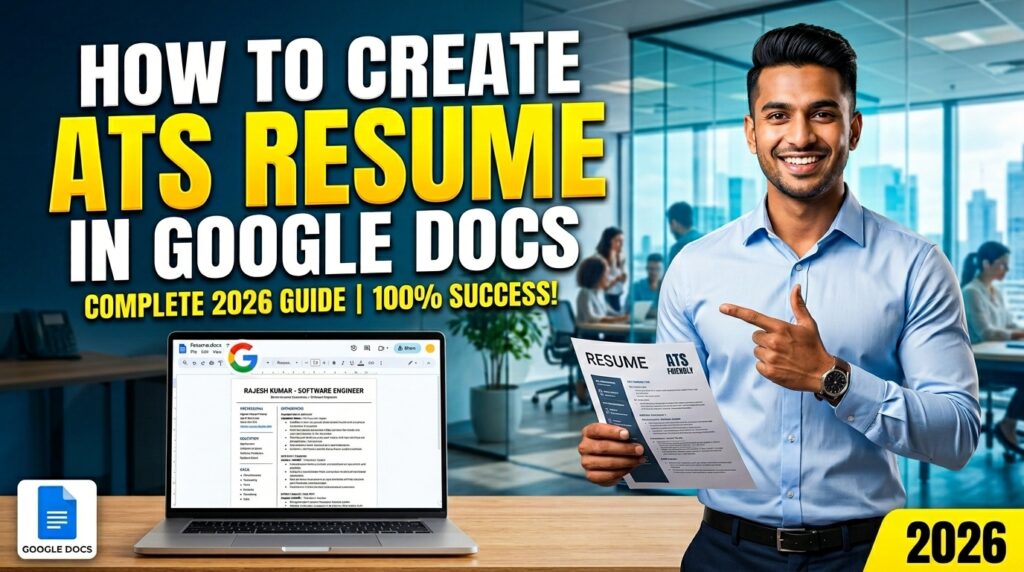
How to Create an ATS-Friendly Resume in 2026 : Using Google Docs ( Ultimate Guide)
Introduction
How to Create an ATS-Friendly Resume in 2026 ఇప్పటి competitive job market లో resume పంపితే reply రాకపోవడం చాలా common సమస్య. దీనికి ప్రధాన కారణం ATS (Applicant Tracking System). చాలా కంపెనీలు ముందుగా మన resume ని మనుషులు కాదు — software ద్వారా filter చేస్తాయి.
అంటే మీ resume ATS కి compatible కాకపోతే, recruiter వరకు చేరదు.
ఈ article లో మీరు తెలుసుకుంటారు:
- ATS Resume అంటే ఏమిటి
- Google Docs లో ATS Resume ఎలా తయారు చేయాలి
- ఏ mistakes avoid చేయాలి
- 100% job shortlist chances ఎలా పెంచుకోవాలి
ATS Resume అంటే ఏమిటి?
How to Create an ATS-Friendly Resume in 2026 ATS Resume అంటే Applicant Tracking System (ATS) కి అనుకూలంగా తయారు చేసిన resume. ఈ ATS అనేది కంపెనీలు ఉపయోగించే software, ఇది candidates పంపిన resumes ను scan చేసి, job కి సరిపడే applicants ను shortlist చేస్తుంది. అంటే, recruiter ముందు మీ resume చేరే ముందు ఈ system దానిని analyze చేస్తుంది. ఇందులో ముఖ్యంగా keywords, skills, experience, మరియు format ఆధారంగా filtering జరుగుతుంది. మీరు simple, clean format లో resume తయారు చేసి, job description కి సంబంధించిన keywords ఉపయోగిస్తే ATS సులభంగా మీ resume ను గుర్తిస్తుంది. కానీ tables, images, fancy fonts, లేదా ఎక్కువ design elements ఉంటే ATS సరిగా చదవలేక reject చేసే అవకాశం ఉంది. కాబట్టి ATS-friendly resume తయారు చేయడం చాలా ముఖ్యము. ఇది మీ resume visibility ని పెంచి, interview calls వచ్చే అవకాశాలను ఎక్కువ చేస్తుంది.
Simple ga:
మీ resume ATS pass అయితేనే recruiter చూస్తాడు.
ATS Resume ఎందుకు ముఖ్యము?
- 90% పెద్ద కంపెనీలు ATS వాడుతున్నాయి
- Resume scan time: 5-10 seconds మాత్రమే
- Wrong format → direct rejection
Research ప్రకారం:
83% recruiters numbers & results ఉన్న resumes ని prefer చేస్తారు
Google Docs లో ATS Resume ఎలా తయారు చేయాలి (Step-by-Step)
Step 1: Correct Font ఎంచుకోవాలి
ATS కి fancy fonts ఇష్టం ఉండదు.
Best Fonts:
- Roboto
- Arial
Recommended:
- Font Size: 10–12
- Clean & simple look
Step 2: Page Setup
Proper spacing resume readability కి చాలా important.
- Margins: 1.5 cm
- Alignment: Left
- Line spacing: 1.15
ఇది recruiter కి neat look ఇస్తుంది
Step 3: Header (Name + Job Title)
Top section చాలా powerful గా ఉండాలి
✔ Name: Bold, 28–30 size
✔ Job Title: Medium weight
Example:
Muni Swami
DIGITAL MARKETING SPECIALIST
ఇది first impression create చేస్తుంది
Step 4: Contact Information
Include only essential details:
- Phone Number
- Location
❌ Avoid:
- Hyperlinks
- Icons
- Fancy formatting
ATS plain text మాత్రమే read చేస్తుంది
Step 5: Professional Summary
Short & powerful summary ఉండాలి
✔ 3–4 lines మాత్రమే
✔ Numbers use చేయాలి
Example:
“3+ years experience in digital marketing with 150% traffic growth achieved through SEO & paid campaigns.”
Numbers → ఎక్కువ impact
Step 6: Professional Experience
ఇది resume లో most important section
Format ఇలా ఉండాలి:
Job Title – Company Name
(Date – Right side)
✔ Bullet points use చేయాలి
✔ Each point measurable ఉండాలి
Example:
- Increased website traffic by 120%
- Generated 500+ leads per month
- Reduced campaign cost by 30%
Simple bullets ATS కి easy
❌ Avoid:
- Paragraphs
- Emojis
- Symbols
Step 7: Certifications Section
Only relevant certifications add చేయాలి
Example:
- Google Ads Certification
- HubSpot Marketing
- Meta Digital Marketing
Unnecessary courses avoid చేయాలి
Step 8: Skills Section
Skills clear categories లో ఉండాలి
Example:
Marketing Tools: Google Ads, Meta Ads
Analytics: Google Analytics
Design: Canva
Job description కి match అయ్యే skills పెట్టాలి How to Create an ATS-Friendly Resume in 2026
ATS Resume Tips (Golden Rules)
Follow these:
- Keywords use చేయండి (Job description నుండి)
- Simple format maintain చేయండి
- PDF format లో save చేయండి
- Bullet points use చేయండి
❌ Avoid these:
- Tables
- Graphics
- Images
- Colors ఎక్కువగా
ATS readable format మాత్రమే use చేయాలి
Common Mistakes (చాలా మంది చేసే తప్పులు)
1. Fancy Templates వాడటం
ATS read చేయలేడు
2. Keywords లేకపోవడం
Resume reject అవుతుంది
3. Long paragraphs
Recruiter skip చేస్తాడు
4. Hyperlinks
ATS ignore చేస్తుంది
ATS Resume కోసం Best Format
Structure ఇలా ఉండాలి:
- Header
- Contact Info
- Professional Summary
- Experience
- Certifications
- Skills
ఇదే best ATS format
Resume Save చేసే విధానం
Final step చాలా important
Google Docs → File → Download → PDF
✔ PDF best format
✔ Formatting safe గా ఉంటుంది
ATS Resume వల్ల మీకు లాభాలు
- Interview calls పెరుగుతాయి
- Resume visibility improve అవుతుంది
- Recruiter attention easy గా వస్తుంది
Simple change → Big impact
Example Resume Strategy (Pro Tip)
ప్రతి job కి same resume పంపొద్దు
✔ Job description read చేయండి
✔ Keywords add చేయండి
✔ Skills customize చేయండి
ఇది selection chances 2X పెంచుతుంది
Conclusion
How to Create an ATS-Friendly Resume in 2026 ఈ competitive job market లో resume simple document కాదు — అది మీ first impression. ATS friendly resume లేకపోతే, మీ skills ఎంత strong అయినా recruiter వరకు చేరకపోవచ్చు. అందుకే clean format, correct keywords, measurable achievements చాలా ముఖ్యమైనవి. Google Docs ఉపయోగించి simple, professional resume తయారు చేయడం ద్వారా మీరు ATS ను సులభంగా pass చేయగలరు.
ముఖ్యంగా numbers, bullet points, relevant skills ఉపయోగించడం ద్వారా మీ profile strong గా కనిపిస్తుంది. ప్రతి job కి resume customize చేయడం కూడా selection chances ని పెంచుతుంది. చిన్న చిన్న changes — যেমন font, spacing, structure — పెద్ద impact ఇస్తాయి. చివరగా, resume ని PDF format లో save చేసి apply చేయడం best practice. సరైన strategy follow అయితే interview calls పెరగడం ఖాయం. కాబట్టి ఇప్పుడే మీ resume ని update చేసి, smart గా job applications ప్రారంభించండి.https://themarketbird.in
FAQs
Q1: ATS resume అంటే simple resume కాదా?
కాదు, ఇది software friendly format
Q2: Canva resume use చేయొచ్చా?
ATS కోసం avoid చేయడం better
Q3: ఎంత length ఉండాలి?
1–2 pages perfect
Q4: Keywords ఎలా తెలుసుకోవాలి?
Job description నుండి copy చేయండి